Best Project Management Tools for Freelancers in 2026

For most freelancers, Seven is the clearest pick: it costs $5/month for a solo plan, keeps your client data private (no analytics sales, no AI training on your work), and gets you from signup to a live project in under 20 minutes. If you bill hourly, need a visual board, or live inside a notes app, the right tool shifts slightly. Here’s the short version:
- Best overall: Seven — privacy-first, low-cost, Excel import, no vendor lock-in
- Best free tier: ClickUp — generous free plan with tasks, docs, and time tracking
- Best for notes/docs: Notion — flexible, database-driven, great for content freelancers
- Best for visual boards: Trello — dead-simple Kanban, fast to set up
- Best for time tracking + billing: Hive or nTask — built-in timers that connect to invoicing
- Best lightweight alternative: MeisterTask — clean interface, minimal learning curve
The comparison chart below covers pricing, free-plan limits, and core features side by side. Detailed tool-by-tool breakdowns follow after that.
Key Takeaways
For most solo freelancers, the best project management tool is the one that costs the least, protects your client data, and gets out of your way — Seven delivers all three at $5/month.
| Point | Details |
|---|---|
| Privacy matters more than features | Most tools treat your client data as a platform asset; Seven explicitly does not mine or train AI on user data. |
| Free plans have real limits | Active project caps (2–10) and automation limits on free tiers often force a paid upgrade within weeks. |
| Match billing to task structure | Aligning task categories with invoice line items eliminates reconciliation time at the end of every project. |
| Trial with a real project | Import an actual client project during the free trial — friction that appears then will compound daily. |
| Seven for solo freelancers | At $5/month with Excel import, open data export, and a 7-day free trial, it’s the lowest-friction starting point. |
Table of Contents
- Which project management tools for freelancers actually compare well?
- A closer look at each tool on the shortlist
- How do you choose the right project management tool as a freelancer?
- How to set up a client project in under 20 minutes
- Why you can trust this guide
- Why Seven is the tool this guide keeps coming back to
- Seven is worth trying before you commit to anything else
- Sources
Which project management tools for freelancers actually compare well?
A few notes on the table: free-plan limits and pricing change, so verify directly on each vendor’s site before committing. Paid entry prices reflect the lowest published tier at time of writing.
A closer look at each tool on the shortlist
Seven
Seven is built for freelancers who want to own their data. The platform offers flexible workspaces, task and subtask management, built-in messaging, file attachments, and Excel import/export. Crucially, Seven’s security page documents that the platform does not mine user data or use it for AI training — a real differentiator when you’re storing client contracts and billing details.
Best for: Solo freelancers who prioritize privacy, need a clean task structure, and want to avoid vendor lock-in.
Pros:
- $5/month individual plan with no hidden per-feature charges
- Excel import means you can migrate from a spreadsheet in minutes
- Open data export so you’re never trapped
Cons:
- Smaller integration ecosystem than ClickUp or Asana
- No built-in invoicing (you’ll connect a separate tool)
Pricing: 7-day free trial, then $5/month for individuals
Learning curve: 15–20 minutes to a working project. No onboarding call required.
ClickUp
ClickUp packs more features into its free tier than almost any other tool on this list. You get unlimited tasks, docs, time tracking, and goal tracking at no cost. The tradeoff is a steep learning curve — the interface has dozens of views and settings, and new users often spend an hour just deciding how to organize their workspace. For a freelancer who wants to grow into a tool, that depth pays off. For someone who just needs to track three client projects, it can feel like overkill.
Best for: Freelancers who want a free, feature-rich platform and don’t mind a setup investment.
Pros:
- Generous free plan (unlimited tasks, 100MB storage)
- Time tracking, docs, and automations all included
- 1,000+ integrations
Cons:
- Learning curve is real — plan 2–4 hours to configure properly
- Free plan limits automations and storage
Pricing: Free plan available; paid starts at $7/user/month
Learning curve: 2–4 hours for a comfortable setup.
Asana
Asana is polished and well-documented, which makes it a reliable choice for freelancers managing multiple clients with distinct workflows. The free tier caps you at 10 projects and 15 collaborators, which covers most solo operators. Timeline view (Gantt-style) is locked behind the paid tier, which matters if you’re managing complex deliverables with dependencies.
Best for: Freelancers juggling multiple clients who want a clean, professional-looking interface.
Pros:
- Intuitive task and subtask structure
- Strong template library for common freelance workflows
- SOC 2 and GDPR compliant
Cons:
- Timeline and advanced reporting require a paid plan
- $10.99/user/month is on the higher end for solo operators
Pricing: Free plan (10 projects); paid starts at $10.99/user/month
Learning curve: 1–2 hours to a comfortable setup.
Trello
Trello is the fastest tool on this list to get running. If you think in columns — “To Do,” “In Progress,” “Done” — you’ll have a working board in under 10 minutes. The free plan allows unlimited cards across 10 boards, which is plenty for most freelancers. The limitation shows up when you need more than basic Kanban: time tracking, subtasks, and automations all require Power-Ups or a paid plan.
Best for: Freelancers with simple, visual workflows who want zero setup friction.
Pros:
- Fastest onboarding of any tool on this list
- Free plan covers most solo freelance needs
- 200+ Power-Ups for extensibility
Cons:
- No native time tracking on free plan
- Subtask support is limited compared to ClickUp or Asana
Pricing: Free plan (10 boards); paid starts at $5/user/month
Learning curve: Under 30 minutes.
Notion
Notion is less a project management tool and more a flexible workspace that can become one. Writers, researchers, and content strategists tend to love it because you can build a client CRM, a content calendar, and a project tracker all in one database. The free plan limits you to 1,000 blocks, which sounds like a lot until you start building linked databases. The learning curve is real — Notion rewards investment, but a freelancer who just needs task tracking will find it overengineered.
Best for: Content freelancers who want tasks, notes, and client records in one place.
Pros:
- Extremely flexible — build almost any workflow
- Great for documentation and client-facing wikis
- SOC 2 compliant
Cons:
- Not purpose-built for project management — requires setup time
- Free plan block limit can feel restrictive for heavy users
Pricing: Free plan (1,000 blocks); paid starts at $10/user/month
Learning curve: 3–5 hours to build a functional freelance workspace.
Basecamp
Basecamp takes a different approach: flat-fee pricing ($299/month for unlimited users) makes it a poor fit for solo freelancers, but the per-user plan at $15/month is workable if you have several active clients. The interface is deliberately simple — to-dos, messages, docs, and a schedule in one place. No Gantt charts, no time tracking natively. If you want simplicity and don’t mind paying a premium, Basecamp delivers. If you’re watching your monthly spend, the math rarely works out in your favor as a solo operator.
Best for: Freelancers running small client teams who want a simple, all-in-one communication hub.
Pros:
- Clean, distraction-free interface
- Built-in client messaging and file sharing
- No per-seat charge on the flat-fee plan
Cons:
- No free plan
- No native time tracking or invoicing
Pricing: $15/user/month or $299/month flat (unlimited users)
Learning curve: Under 1 hour.
Hive
Hive stands out for its built-in time tracking and analytics. You can log hours directly against tasks, generate timesheet reports, and export that data for invoicing — all without a third-party integration. The free tier is limited, so most freelancers who want the full time-tracking experience will need the paid plan. At $5/user/month, it’s competitively priced.
Best for: Hourly billers who want timers, reports, and task management in one place.
Pros:
- Native time tracking with reporting
- Flexible project views (Kanban, Gantt, calendar)
- 1,000+ integrations
Cons:
- Free tier is quite limited
- Interface can feel busy for simple workflows
Pricing: Limited free tier; paid starts at $5/user/month
Learning curve: 1–2 hours.
Teamwork
Teamwork is one of the few tools on this list with a genuine client portal built in. You can give clients a view into their project without exposing your internal notes or other client work. It also includes time tracking and basic invoicing, which makes it a near-complete billing workflow for freelancers. The free plan caps you at 5 users and 2 projects, which is tight for anyone with more than a couple of active clients.
Best for: Freelancers who need a client-facing portal and want time tracking plus invoicing in one tool.
Pros:
- Client portal with controlled visibility
- Built-in time tracking and invoicing
- SOC 2 and GDPR compliant
Cons:
- Free plan is very limited (2 projects)
- $10.99/user/month adds up if you add client seats
Pricing: Free plan (2 projects, 5 users); paid starts at $10.99/user/month
Learning curve: 2–3 hours.
Zoho Projects
Zoho Projects makes the most sense if you’re already in the Zoho ecosystem — using Zoho CRM, Zoho Invoice, or Zoho Books. The integration between those tools is tight, and the $4/user/month entry price is among the lowest on this list. The free plan limits you to 2 projects, which is restrictive. Outside the Zoho ecosystem, the interface feels dated compared to ClickUp or Asana.
Best for: Freelancers already using Zoho CRM or Zoho Invoice who want a connected workflow.
Pros:
- Lowest paid entry price on this list at $4/user/month
- Strong Zoho ecosystem integration
- ISO 27001 certified
Cons:
- Free plan limited to 2 projects
- Interface feels less modern than competitors
Pricing: Free plan (2 projects); paid starts at $4/user/month
Learning curve: 1–2 hours (longer if configuring Zoho integrations).
MeisterTask
MeisterTask hits a sweet spot between simplicity and capability. The Kanban interface is clean, task automations work without a steep learning curve, and the free plan covers 3 projects — enough to test it properly. Time tracking is available on paid plans. Via Zapier, you can connect it to thousands of other tools. For a freelancer who found Trello too simple but ClickUp too complex, MeisterTask is often the right middle ground.
Best for: Freelancers who want more structure than Trello but less complexity than ClickUp.
Pros:
- Clean, intuitive Kanban interface
- Task automations without a learning curve
- ISO 27001 and GDPR compliant
Cons:
- Free plan limited to 3 projects
- Time tracking requires a paid plan
Pricing: Free plan (3 projects); paid starts at $7/user/month
Learning curve: Under 1 hour.
nTask
nTask is the budget pick. At $3/user/month, it’s the cheapest paid option on this list, and it includes timesheets, risk tracking, and meeting management alongside standard task features. The interface is functional rather than beautiful, and the integration list is shorter than most. For a freelancer who bills hourly and wants a low-cost, no-frills tracker, nTask delivers the basics without the premium price.
Best for: Budget-conscious freelancers who bill hourly and want timesheets without paying for a full-featured platform.
Pros:
- Lowest paid price on this list at $3/user/month
- Built-in timesheets and risk tracking
- Unlimited tasks on free plan
Cons:
- Interface is dated
- Limited integrations compared to ClickUp or Asana
Pricing: Free plan (limited features); paid starts at $3/user/month
Learning curve: 1–2 hours.
Pro Tip: Before committing to any paid plan, import a real client project during the free trial. A tool that feels great in a demo often reveals friction when you’re working with actual tasks, deadlines, and client names. Give yourself one full project cycle to decide.
According to a 2026 roundup of freelance project management software, pricing transparency, client-facing portals, and data export are consistently the three features that drive freelancers’ final buying decisions — not the total feature count.
How do you choose the right project management tool as a freelancer?
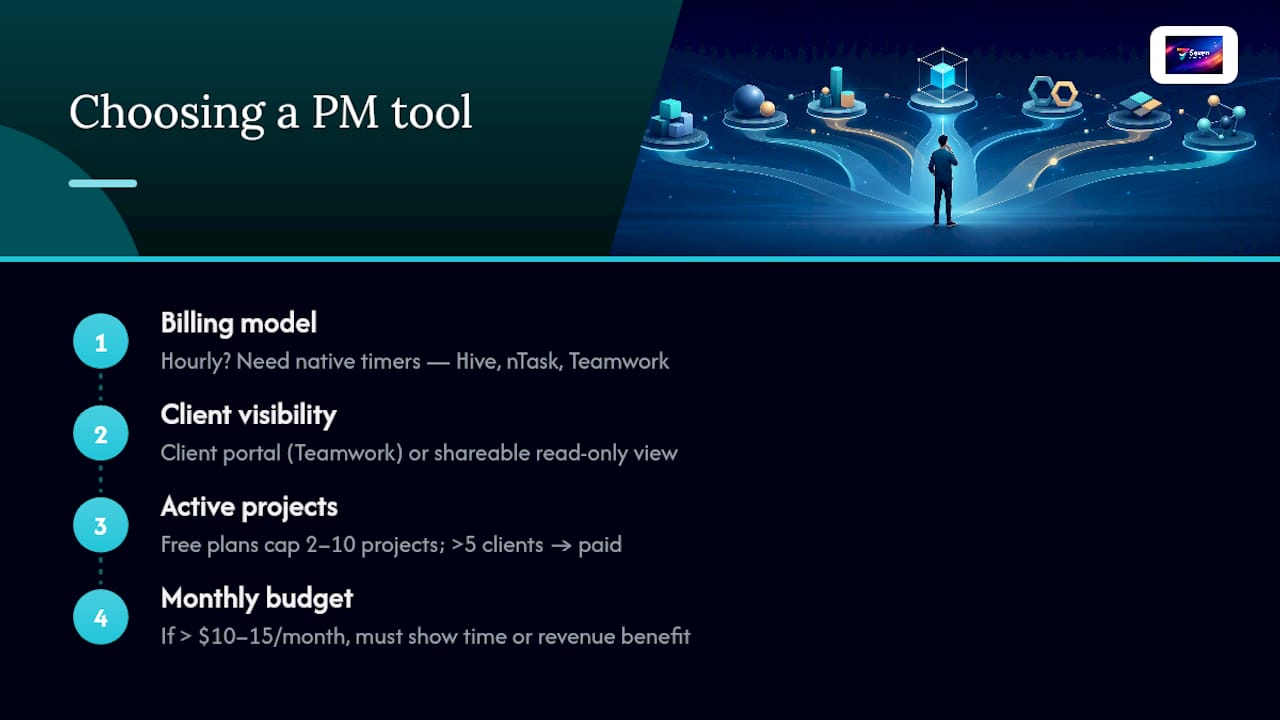
The decision comes down to four questions. Answer them honestly and the shortlist narrows fast.
1. How do you currently bill clients?
If you bill hourly, time tracking built into the tool saves you from a separate app. Hive, nTask, and Teamwork all include native timers. If you bill by project or deliverable, time tracking is nice to have but not critical.
2. Do clients need to see project progress?
If yes, you need either a client portal (Teamwork does this well) or a shareable view. Many tools let you share a read-only link; fewer give clients a proper branded experience. If client visibility matters, test that feature specifically during your trial.
3. How many active projects do you run at once?
Free plans often cap active projects at 2–10. If you have more than 5 active clients, a free plan will likely force your hand toward paid within a month.
4. What’s your real monthly budget?
Solo freelancers spending more than $10–15/month on a project management tool should be able to point to a direct time or revenue benefit. If you can’t, the tool is too expensive for your current workload.
The decision checklist
Work through this before you sign up for anything:
- Does the tool let you export all your data in a standard format (CSV, Excel)? If not, walk away.
- Can a client view their project without you paying for a client seat? Check the pricing page carefully.
- Is time tracking built in, or does it require a paid add-on or third-party integration?
- Does the mobile app work offline, or does it require a connection?
- Is pricing per user, per project, or flat? Run the math for your actual usage, not the demo scenario.
- Does the free trial give you access to the features you actually need, or is it a stripped-down teaser?
Red flags to watch for
- Vendor lock-in: No data export, or export only available on the highest tier.
- Opaque pricing: Per-seat charges that only appear at checkout, not on the pricing page.
- Client viewer fees: Charging you per seat for a client who only needs read access.
- Automation limits on free plans: If automations are capped at 100/month on free, your workflow breaks the moment you scale.
The 7–14 day trial protocol
Try the free plan first. Import a real project (not a test one). Invite an actual client or a trusted colleague to simulate client access. Run one billing cycle or time-tracking session. Export your data at the end. If any of those steps creates friction, that friction will compound over months of daily use.
How to set up a client project in under 20 minutes
This workflow works in most tools on this list, including Seven. Adjust the step names to match your chosen platform.
- Create the project — name it after the client, not the deliverable. “Acme Corp” is easier to find in six months than “Q3 Website Redesign.”
- Add the client contact — store their name, email, and any billing details in the project or a linked contact record.
- Import tasks — if you have a scope of work in a spreadsheet, use Excel import (Seven supports this natively). Otherwise, paste your task list directly.
- Set milestones and due dates — assign at least one milestone per major deliverable. Due dates on individual tasks keep the milestone honest.
- Enable time tracking — turn on the timer before your first work session. Even if you bill by project, tracked hours protect you in scope disputes.
- Share the client view — generate a shareable link or portal invite. Send it to the client with a one-line explanation of what they can see.
Total setup time: 10–20 minutes for a new project. Repeat projects (same client, new scope) take 5 minutes once you have a template.
Pro Tip: Structure your tasks to mirror your invoice line items. If you bill “Strategy,” “Design,” and “Development” as separate line items, create those as parent tasks and log subtasks under each. When it’s time to invoice, your time log already matches your billing categories — no reconciliation needed.
For freelancers who also manage on-site visits or recurring service appointments, a general project management tool may not cover scheduling and dispatch. Workforce management alternatives built for field service work handle those workflows differently, and it’s worth checking whether a vertical tool fits better than a general PM platform.
Why you can trust this guide
This guide was built using the following criteria, applied consistently across all eleven tools:
- Features: Task and subtask support, board/list/timeline views, time tracking, file attachments, client portals, and data export.
- Pricing transparency: Free plan limits verified against each tool’s public pricing page. Paid entry prices reflect the lowest published tier.
- Privacy and security: Certifications (SOC 2, ISO 27001, GDPR) and stated data practices reviewed for each tool.
- Ease of use: Estimated setup time based on published onboarding documentation and user reviews.
- Mobile and offline: Availability of iOS and Android apps, and whether offline mode is documented.
- Integrations: Native integrations and third-party connector availability (Zapier, Make).
- Value for solo freelancers: Cost-per-feature ratio assessed for a single-user scenario, not a team scenario.
Editorial independence: This guide is published by Seven. Seven is included in the shortlist and recommended as the top pick for most freelancers. That recommendation is based on the criteria above, not on the publishing relationship. All other tools are evaluated on their own merits.
Last updated: 2026. Pricing and free-plan limits are subject to change — verify directly with each vendor before purchasing.
Reviewer: Greg. Author bio available on the Seven site.
Why Seven is the tool this guide keeps coming back to
The honest reason Seven keeps rising to the top of freelance PM comparisons isn’t the feature list — it’s the combination of what it doesn’t do. It doesn’t mine your data. It doesn’t use your client records to train AI models. It doesn’t lock you into a proprietary format that makes migration painful. For a freelancer, those omissions matter more than most reviews acknowledge.

Think about what you’re actually storing in a project management tool: client names, project scopes, billing histories, sometimes contracts and sensitive deliverables. Most tools treat that data as an asset they partially own. Seven’s privacy-first approach treats it as yours.
The $5/month individual plan also changes the math on total cost of ownership. At that price, you’re not trying to justify the subscription against your revenue. It’s a line item that disappears into your monthly expenses without requiring a business case.
That said, Seven isn’t the answer for every freelancer. If you’re running a small agency with five or more collaborators, the team plan at $9/user/month still competes well, but you’ll want to evaluate Teamwork’s client portal depth or Hive’s reporting capabilities against your specific workflow. And if you genuinely need a Notion-style wiki to manage your own knowledge base alongside client work, Notion’s flexibility is hard to match at any price.
For the solo freelancer who wants to start a project today, not spend a week configuring a workspace — Seven is the clearest path from signup to billable work.
Seven is worth trying before you commit to anything else

Freelancers who bill by the hour, manage multiple clients, and care about where their data goes will find Seven covers the essentials without the overhead. You get flexible workspaces, task and subtask management, built-in messaging, file attachments, and Excel import — all on a platform that explicitly does not sell your data or use it for AI training. The individual plan runs $5/month with no hidden per-feature charges.
The 7-day free trial is enough time to run a real test: import an existing project from a spreadsheet, set up tasks with due dates, and export your data at the end to confirm nothing is locked in. That last step matters. A tool you can leave is a tool you can trust.
Start your free trial at Seven — no credit card required to explore the platform.
Sources
The sources below were used to verify free-plan limits, pricing, and product features. The list is selective — these are the ones that directly informed the shortlist and comparison data.
- 10 Best Freelance Project Management Software For 2026