Project management for small business: pick the right tool

If you run a small business and your projects still live across spreadsheets, sticky notes, and group chats, the fastest fix is a dedicated workspace built for small teams, not enterprise IT departments. Seven is the pick worth trying first: it’s priced at $5 for solo users and $9 per user for teams, keeps your data out of analytics pipelines and off any AI training set, and lets you import an existing spreadsheet in minutes instead of rebuilding your task list from scratch.
That matters more than most buying guides let on. A large share of small teams choose their first project tool based on how easily it takes a free plan or low-cost starter tier and imports existing spreadsheets, because the alternative, a slow migration with a consultant and a training day, kills adoption before it starts. Seven solves that specific problem, and its pricing model avoids the tiered pricing structures that can complicate budgeting for small projects.
If Seven’s flexible-workspace approach isn’t quite the shape you need, here’s a fast category shortlist:
- Visual kanban-first apps — best if your team thinks in cards and columns and wants near-zero setup time.
- Spreadsheet-like workboards — best for teams that already think in rows and grids and don’t want to unlearn that habit.
- Client billing and time-tracking platforms — best for agencies and consultancies that invoice by the hour or project.
- Enterprise-grade PM platforms — best for businesses that expect to scale past 50 staff within a couple of years and need deep resourcing tools now.
Reviewers such as PCMag and Zapier both make the same point in their own ways: there’s no single universal winner, only a right fit for your workflow, your budget, and how fast your team needs to be productive.
Key Takeaways
Small businesses succeed with project management software when they match the tool to their actual workflow, prioritise data export and pricing clarity over feature count, and test real projects during the trial period rather than assuming fit from a features page.
| Point | Details |
|---|---|
| Match category to workflow | Choose kanban, spreadsheet-style, billing-focused, or enterprise-grade based on how your team already thinks, not feature count. |
| Test with real data | Run your trial on one genuine low-stakes project rather than a dummy test to expose real friction. |
| Protect data export rights | Confirm you can export your data in a usable format before you commit, to avoid vendor lock-in. |
| Budget for onboarding time | Factor in the hours needed for spreadsheet migration and team training, not just the subscription price. |
| Try Seven first for privacy | Seven offers $5/$9 per user pricing, Excel import, built-in messaging, and no data mining, with a 7-day free trial. |
Table of Contents
- What is the best project management software for small business?
- Which project management tool fits which small business need?
- How do you choose the right tool for your business?
- How to roll out a new project tool in 30 days
- Why Seven suits privacy-minded small businesses
- Comparison of customer support quality and availability for each tool
- Try Seven free for 7 days
- Sources
What is the best project management software for small business?
There’s no one-size-fits-all winner, but the shortlist narrows fast once you know what you’re optimising for: price transparency, low onboarding friction, and views that match how your team already thinks.
The comparison below covers Seven plus four generic categories that consistently show up in small-business shortlists. Rather than chase specific competitor brand names, this uses the categories Zapier and Forbes both point to when they tested dozens of platforms against real small-business workflows.
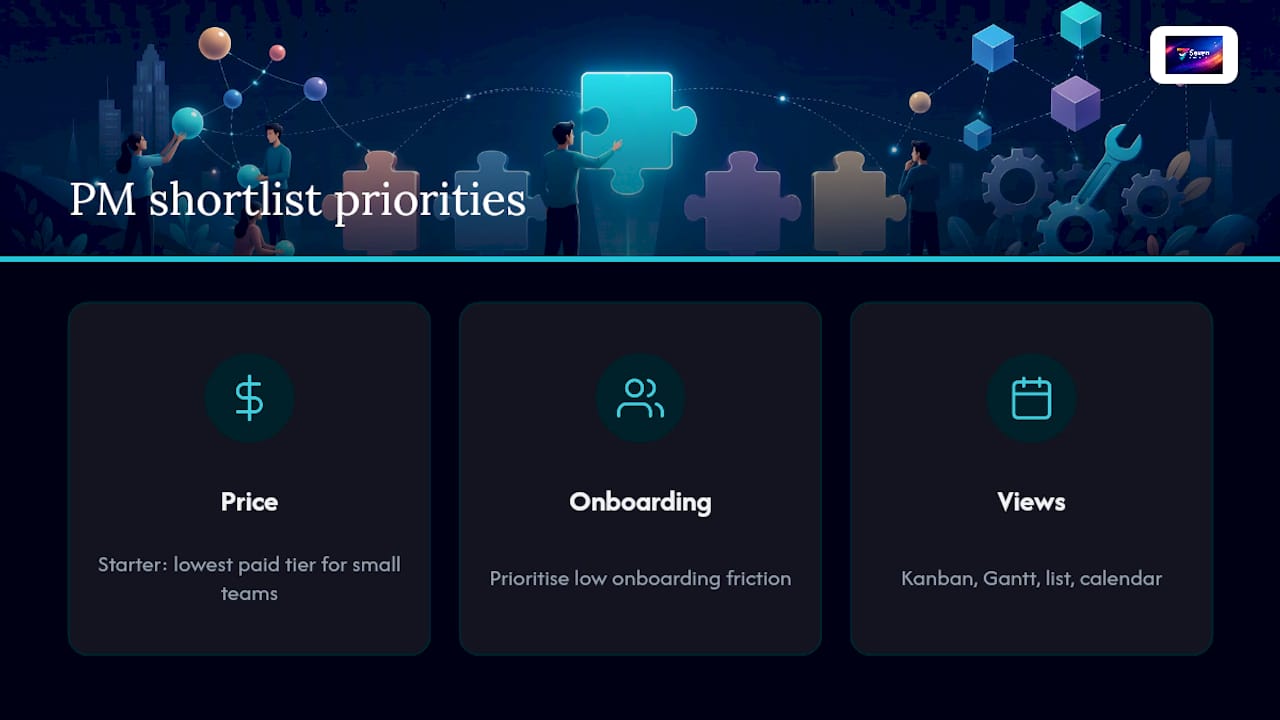
A quick legend for reading this: “starter” means the lowest paid tier a small team would actually use day-to-day, not an enterprise quote. “Views” refers to the different ways you can look at the same project data, Kanban boards for visual thinking, Gantt charts for timelines and dependencies, list views for straightforward checklists, and calendars for date-driven work.
Pricing and free-plan terms shift often across this category, sometimes month to month. Treat every number in that table as a starting point, not a guarantee, and check the vendor’s own pricing page or run a trial before you commit budget to any option.
Which project management tool fits which small business need?
Matching the tool to the job matters more than chasing the longest feature list. Here’s how five common categories, plus Seven, actually perform against the problems small businesses hit day to day.
Seven: the privacy-first, low-friction pick
Seven is built around one simple idea: your project data is yours, and no platform should mine it, sell it, or lock it up.
- What it is: a flexible workspace platform with boards, tasks, subtasks, due dates, overdue alerts, built-in messaging, and file attachments.
- Best for: privacy-minded freelancers, small business owners, and remote teams who want a straightforward tool without a data-mining business model attached.
- Pricing shape: $5 per month for individuals, $9 per user for teams, with a 7-day free trial and no long-term lock-in.
- Pros: transparent pricing, genuine data export without vendor lock-in, fast spreadsheet import, no analytics or AI training on your content.
- Cons: fewer advanced resourcing or portfolio-level reporting features than some enterprise platforms, which is a deliberate tradeoff for simplicity.
- Migration notes: Excel import is built in, so moving a task list with dates and assignees typically takes minutes rather than a training session.
Adoption signals matter here. Teams switching from spreadsheets tend to see productivity gains inside the first day, mostly because there’s no steep learning curve standing between “signed up” and “assigned first task.”
Visual kanban-first apps
These platforms are built around drag-and-drop cards moving through status columns, and they’re often the fastest onboarding experience in the category.
- What it is: a board-based tool where tasks are cards, and progress means moving a card from one column to the next.
- Best for: creative teams, marketing squads, and any small business that already thinks in visual workflow stages.
- Pricing shape: many offer a genuinely usable free plan for small teams, with paid tiers unlocking automation and reporting.
- Pros: near-instant onboarding, intuitive for non-technical staff, strong mobile apps.
- Cons: can get messy at scale without discipline around board structure; limited native Gantt or resourcing views.
- Migration notes: importing from a spreadsheet usually means recreating rows as cards manually, which adds setup time compared with a direct import.
The learning curve is close to zero, but the admin overhead creeps in later, once you’ve got a dozen boards and no naming convention.
Spreadsheet-like workboards
If your team’s mental model of a project is a grid of rows and columns, this category keeps that logic while adding automation, views, and collaboration on top.
- What it is: a hybrid between a spreadsheet and a database, often with switchable Kanban, calendar, and Gantt-style views layered over the same grid.
- Best for: operations-heavy small businesses, teams tracking inventory or client pipelines, and anyone who finds pure kanban boards too unstructured.
- Pricing shape: free tiers available for smaller teams, with paid tiers offering expanded features.
- Pros: the grid structure feels immediately familiar to spreadsheet users, and automation rules can replace manual status updates.
- Cons: the flexibility that makes these tools powerful also makes them easy to over-engineer, and complex automations sometimes need a dedicated admin.
- Migration notes: because the underlying structure is already a grid, spreadsheet imports tend to map cleanly onto columns and fields.
Day-one productivity here depends heavily on how closely your existing spreadsheet structure matches the tool’s own field types. A clean spreadsheet imports cleanly; a messy one imports messily.
Client billing and time-tracking platforms
Agencies, consultancies, and any business that invoices by the hour or by milestone tend to gravitate here, because time tracking and invoicing sit inside the same workflow as the project itself.
- What it is: project management with billing, time sheets, and invoicing built into the core workflow rather than bolted on.
- Best for: professional services firms, freelance collectives, and agencies managing multiple client budgets at once.
- Pricing shape: rarely free, typically priced per user monthly, with trials running two to four weeks.
- Pros: eliminates the need for a separate invoicing tool, and time entries tie directly back to specific tasks and clients.
- Cons: the extra financial functionality adds onboarding complexity that pure task-tracking teams don’t need.
- Migration notes: importing tasks is usually straightforward, but migrating historical time entries and invoices from a separate tool takes more care.
The tradeoff is honest: you gain billing accuracy but pay for it in setup time. If you don’t bill by the hour, this category adds complexity you’ll never use.
Enterprise-grade PM platforms for scaling teams
These platforms are built for organisations that expect complexity: multiple departments, resourcing conflicts, dependency chains, and reporting up to leadership.
- What it is: full-featured platforms with Gantt charts, resource allocation views, dashboards, and deep permission structures.
- Best for: small businesses on a clear growth trajectory, expecting to double headcount or juggle a dozen concurrent projects within a year or two.
- Pricing shape: per-user monthly, generally higher starter tiers than the other categories, with free plans rare or heavily limited.
- Pros: customisable views and robust permission controls let a team scale without switching platforms later, which matters if you’re planning to outgrow a simpler tool within 18 months.
- Cons: the learning curve is real, and small teams sometimes pay for enterprise-grade complexity they won’t use for years.
- Migration notes: spreadsheet imports work, but mapping your data onto the platform’s more granular field structure takes longer than with simpler tools.
This is where PCMag’s testing consistently lands its picks for growing teams: strong feature depth, but a genuine investment of setup time before the payoff shows up.
Across every category, the mobile experience varies more than vendors admit. Kanban-first and spreadsheet-style tools tend to have the strongest native apps because their interfaces translate well to a phone screen; enterprise platforms and billing tools sometimes push mobile users toward a stripped-down view of the desktop experience, which frustrates field staff who need to update a task from a job site.

How do you choose the right tool for your business?
Choosing well isn’t about finding the tool with the most features. It’s about matching a short list of practical criteria against how your team actually works, then testing that match for real before you commit a card number.
Work through this checklist before signing up for anything beyond a trial:
- Ease of use — can a non-technical staff member create a task and assign it without a training session?
- Critical integrations — does it connect to the tools you already depend on, whether that’s Slack, Google Drive, or a CRM?
- Views supported — does it offer Kanban, list, and calendar views, or force everyone into one visual style?
- Free trial or free plan — can you test real workflows before paying, not just a stripped-down demo?
- Data export and lock-in — can you get your data out in a usable format if you switch tools later?
- Onboarding effort — how many hours until your whole team is comfortable, not just you?
- Pricing predictability — are the tiers transparent, or does every useful feature sit behind an upsell?
- Mobile support — does the app work properly on a phone, or is it a cramped version of the desktop site?
- Security and privacy — does the vendor explain what happens to your data, or bury it in generic legal language?
During a 7 to 14 day trial, answer these questions directly rather than guessing:
- Can your team create a project and assign tasks in under 15 minutes without help?
- Can you import your existing spreadsheet, including dates and assignees, without manual rework?
- Does the mobile app let a field or remote staff member update a task status on the spot?
- Is there a genuine answer to “what happens to our data if we cancel”?
Watch for a handful of red flags that should stop adoption outright: no meaningful data export option, a mobile app that’s clearly an afterthought, opaque pricing that hides basic features behind a premium tier, or forced per-feature charges for things like file attachments or messaging that should be standard.
Pro Tip: Run your pilot with one real, low-stakes project rather than a dummy test project. Fake data hides real friction, a genuine client deadline or supplier order will expose whether the tool actually holds up under pressure within a week.

How to roll out a new project tool in 30 days
Rolling out new software doesn’t need to disrupt a working business. It needs a short plan, a clear owner for each step, and a deadline that keeps momentum from stalling.
- Week 1 (Admin): export your existing spreadsheet or task list, clean up duplicate or outdated rows, and map fields to the new tool’s structure, project name, due date, assignee, status.
- Week 1 (Admin): import the cleaned data and validate it. Check that dates, assignees, and statuses landed correctly before telling the team it’s ready.
- Week 2 (Team leads): run a 15-minute team demo covering how to create a task, assign it, attach a file, and mark something complete. Keep it hands-on, not a slideshow.
- Week 2 (Team members): each person moves their own active tasks into the new tool and archives the old spreadsheet or app as read-only, not deleted, in case anything was missed.
- Week 3 (Team leads): hold the first weekly check-in inside the new tool itself. Agenda: what’s overdue, what’s blocked, what’s due this week.
- Week 4 (Admin): review adoption. Track task completion rate, average time to assign a new task, and how many projects are genuinely active versus abandoned.
By day 30, you should have a clear read on whether the tool earned its place. If completion rates haven’t moved and people are still emailing spreadsheets on the side, that’s a signal to revisit onboarding, not necessarily the tool itself.
How the shortlist and comparisons were created
This shortlist leans on practical, workflow-based testing rather than a raw feature checklist. The criteria: ease of use, integration depth, views supported, onboarding time, pricing clarity, security and privacy posture, mobile app quality, and customer support responsiveness.
- Testing focused on realistic small-business workflows: importing a spreadsheet, assigning tasks, running a first weekly check-in, not exhaustive enterprise feature audits.
- Trial periods were treated as the primary evidence source, echoing the approach Forbes Advisor uses across its own 26-platform, 61-metric evaluation.
- Third-party editorial signals, including PCMag’s decade of hands-on reviews, were used as corroborating evidence rather than the sole basis for any recommendation.
The scope has limits worth being upfront about: short trials can’t replicate a year of real usage, and no single test scope covers every industry’s edge cases. Treat this as a strong starting point, not the final word for your specific business.
Why Seven suits privacy-minded small businesses
Seven’s core pitch is straightforward: your project data stays yours, and the business model doesn’t depend on mining it.
- Privacy commitment: no data mining, no analytics sales, no AI training on your content, detailed on Seven’s security page.
- Pricing snapshot: $5 per month for individuals, $9 per user for teams, both with a 7-day free trial before you pay anything.
- Core features: flexible workspaces, boards with tasks and subtasks, built-in messaging, file attachments, and due date tracking with overdue alerts.
- Migration ease: direct Excel import means an existing spreadsheet becomes a working project board without manual re-entry.
- No lock-in: open data export means you’re never stuck if your needs change down the track.
For small teams that have been burned before by a “free” tool quietly monetising their data, that combination of transparent pricing and a stated no-analytics policy is a genuinely different starting point.
Comparison of customer support quality and availability for each tool
Support quality varies more across this category than most buyers expect, and it’s rarely visible until you actually need help.
Seven leans on responsive, direct support built for small teams who don’t have an IT department to escalate to, which matters when a due-date alert misfires or an import doesn’t map correctly. Visual kanban-first apps typically offer solid self-serve help centres and community forums, useful for common questions, less useful for a genuinely unusual problem. Spreadsheet-like workboards tend to split support by tier, with faster response times reserved for paid plans, so a free-tier user waiting on a ticket can wait considerably longer than a paid one. Client billing and time-tracking platforms generally offer stronger support around billing and invoicing issues specifically, since that’s where the highest-stakes problems land, but general product support can be slower. Enterprise-grade platforms often provide dedicated account managers for larger contracts, but small businesses on lower tiers frequently get routed through the same general queue as everyone else.
The practical takeaway: don’t assume support quality from pricing tier alone. Ask directly, during your trial, what response time you can expect on a starter plan, not an enterprise one, and test it with a real question rather than taking a sales page’s word for it.
Author’s perspective: common small-business tradeoffs
Every small business hits the same fork eventually: simplicity or customisability, cheap now or scalable later, fast adoption or feature depth. My honest read is that most small businesses over-optimise for feature depth and under-optimise for whether their team will actually open the tool every day.
Here’s what’s worth compromising on, and what isn’t. Compromise on: default views, exact colour schemes, and whether every advanced report exists on day one, none of that decides whether adoption sticks. Don’t compromise on: data export options, upfront pricing clarity, and how the mobile app performs under a bad connection, because those three things quietly determine whether you’re stuck with a bad decision in twelve months.
If you’re weighing this up right now, start with the option that’s cheapest to leave: transparent pricing, real data export, and a trial period long enough to actually test it. That’s the case for Seven over almost anything else on this list.
Try Seven free for 7 days
Seven gives small businesses the parts of project management that actually matter day to day, boards, tasks, due dates, messaging, file attachments, without the data-mining business model that quietly powers a lot of “free” competitors.

If your team is still tracking work in spreadsheets, Seven’s Excel import turns that file into a working board in minutes, not days. Pricing stays transparent throughout: $5 a month for individual users, $9 per user for teams, detailed in full on the pricing page, with no hidden feature-gating once you’re past the trial. Because Seven doesn’t mine or sell your project data, and supports full export if you ever decide to leave, you’re never negotiating from a position of lock-in.
Start the 7-day free trial today and import your first spreadsheet before your next team meeting.
Sources
- The Best Project Management Software We’ve Tested for 2026 | PCMag
- Project management ratings methodology | Forbes Advisor
- The best project management software for small businesses in 2026 | Zapier
Pricing and feature details shift regularly across this category. Check each vendor’s own pricing page before making a final decision, since the figures above reflect the most recent publicly available information at time of writing.