Transparent SaaS Pricing: ACV Rule $25,000–$50,000 for Founders & PMs

Publish your self-serve and team tiers publicly, and reserve “contact sales” for genuinely custom enterprise deals. The rule of thumb: if your annual contract value is relatively low and buyers can self-qualify, show the price. Your next move is small: add a “starting at” figure to your highest tier this week, or publish the lower two tiers if you haven’t already.
TL;DR:
- Publishing transparent prices is advisable for SaaS products with annual contracts under roughly $50,000 that cater to self-serve buyers and SMBs.
- Use clear, specific models like tiered flat-rate, per-seat, or usage-based pricing, and include real-world examples to build buyer confidence.
- Show a “starting at” price for enterprise tiers rather than gated contact forms to balance transparency with negotiation leverage.
- Track conversion rates, upgrade frequency, and customer feedback to measure the benefits of transparency and adjust your approach accordingly.
- Ensure legal compliance by clearly displaying prices inclusive of fees, tax details, and cancellation policies to prevent regulatory issues.
Table of Contents
- What transparent SaaS pricing actually means
- Core pricing models and how to show each one clearly
- When to publish prices and when to gate them
- Pricing-page tactics that reduce friction and build trust
- How do you measure whether pricing transparency is working?
- The real trade-offs of showing your prices
- Seven in practice: what a transparent pricing page looks like
- Talking your customers through a pricing change
- SaaS companies that got transparent pricing right
- Legal and compliance considerations you shouldn’t skip
- How customer segments should shape your pricing design
- A short editorial take on making the switch
- Try Seven: transparent pricing with nothing hidden behind a form
- Sources
What transparent SaaS pricing actually means
Transparent SaaS pricing means a buyer can see your base price, your usage limits, your overage rules and your setup fees without booking a call. It means no asterisk that leads to a form. Markt-Pilot’s definition is blunt about this: transparency means disclosing base prices, fees and exclusions so buyers can make an informed decision without hunting for hidden costs later.
That’s the standard industry term worth knowing, too: pricing transparency. You’ll see it used interchangeably with “transparent SaaS pricing” across product-led growth circles, and both point at the same practice.
The business case is straightforward. Hiding prices on a self-serve product can significantly reduce trial sign-ups, because buyers can’t work out if they’re even in the right ballpark before committing time to a demo, according to OpenView’s analysis of pricing transparency. Published pricing also acts as a filter: tyre-kickers self-select out, and the leads who do fill in your trial form already know roughly what they’ll pay.
This matters most for three kinds of SaaS business: self-serve products where a credit card completes the purchase, product-led growth companies that rely on the product itself to sell, and SMB or mid-market tools where the buyer is often also the end user. Enterprise-only platforms selling seven-figure contracts have a different calculus, and we’ll get to that.
Core pricing models and how to show each one clearly
Most transparent pricing pages use one of five structures, sometimes blended. Each needs a different presentation to stay honest and easy to scan.
- Tiered flat-rate plans: List the monthly and annual price side by side, name the feature ceiling for each tier (user limits, storage, integrations), and state what happens when someone hits that ceiling.
- Per-seat pricing: Show the per-user rate and a worked example (“10 users = $90/month”), because teams do this maths anyway and burying it just creates a support ticket.
- Usage-based pricing: Publish the metered unit (API calls, records, emails sent) and at least one example bill at a realistic volume, not just the theoretical minimum.
- Hybrid models: Combine a base seat fee with usage add-ons, but cap the unpredictable part or show a calculator so nobody is surprised at renewal.
- Freemium and trial tiers: Make the upgrade trigger visible on the free plan itself, not hidden in an email three weeks later.
The value metric comes first, then the model follows. Stripe’s guidance on pricing and packaging frames this as a sequence: pick the metric that tracks value delivered, choose the pricing model that charges against it, then build tiers, then measure. Skipping straight to tiers without settling on a value metric is how companies end up with pricing that feels arbitrary to buyers.
Pro Tip: If you’re not sure which model fits, ask what a customer would brag about to a colleague, more seats, more usage, or more results. Whatever they’d brag about is usually your value metric.
When to publish prices and when to gate them
The decision isn’t binary, and treating it as one is how teams either overexpose a bespoke enterprise motion or strangle their own self-serve funnel with a contact form.
- Check your ACV. PulseRevOps recommends publishing pricing when annual contract value sits under roughly US$25,000 to US$50,000 and the buyer can evaluate and purchase without a sales rep walking them through it.
- Check who buys. A single practitioner or small team buying with a company card belongs in a published, self-serve tier. A procurement team running a six-month evaluation for a 2,000-seat rollout belongs in a gated enterprise conversation, because the deal genuinely varies by contract terms, support SLAs and integration scope.
- Run the hybrid model. Publish your self-serve and team tiers with real numbers. For enterprise, show a “starting at” anchor rather than nothing at all, this single element does more to keep negotiations honest than any amount of sales training, according to PulseRevOps.
- Roll it out in stages if you’re nervous. Start with a starting-at anchor on your enterprise tier. Then publish your lower tiers fully. Then expand transparency further once you’ve measured the effect on conversion and deal size.
Most teams that gate everything are protecting a handful of large accounts while quietly taxing the hundred smaller ones who’d have converted on sight. Gartner’s research found 67% of B2B buyers prefer a rep-free purchase experience, which tells you where the self-serve tolerance actually sits.
Pricing-page tactics that reduce friction and build trust
A pricing page’s job is to answer “how much” and “what do I get” before the reader scrolls past the fold. Everything else is decoration.
- Put a price or a “starting at” figure above the fold. If someone has to scroll to find a number, you’ve already lost some of them.
- Lay tiers side by side with a single line naming who each tier suits, “For solo freelancers”, “For growing teams”, not a paragraph.
- Add a representative example: “A typical 8-person team pays $72/month on the Team plan.” Concrete numbers beat abstract feature lists every time.
- Spell out what’s excluded, not just included, plus overage rules and how cancellation works. Ambiguity here is where trust quietly leaks away.
- Offer a lightweight calculator or usage forecast for metered plans, so a buyer never discovers their real bill for the first time on an invoice.
Pro Tip: Test your own pricing page with a five-minute stopwatch. If a first-time visitor can’t state your starting price and one included feature within five minutes, your layout is the problem, not your pricing.
A partner example worth studying outside SaaS: HarbourSide Digital’s pricing page lists starting prices with no lock-in clauses buried in fine print, a layout worth borrowing regardless of industry.
How do you measure whether pricing transparency is working?
Publishing prices is a hypothesis, not a decision you make once and forget. Track it like one.
- Watch conversion and trial-to-paid rate before and after you publish a tier. A lift here is the clearest signal that hidden pricing was costing you sign-ups.
- Track self-serve upgrade rate and expansion MRR. If customers can see the next tier’s price and value, upgrades tend to become a self-service click rather than a sales call.
- Monitor CAC. Published pricing should reduce the sales hours spent on unqualified calls, which shows up as a lower cost to acquire each customer.
- Run a direct experiment. A/B test a “starting at” anchor against gated “contact sales” messaging on the same tier, or publish just one tier and measure the lift against a control period.
- Attribute with cohort analysis. Compare a full sales cycle before and after the change, not just the first two weeks, since enterprise deals in particular take months to show up in the numbers.
Stripe’s framework treats measurement as the final step in a repeatable sequence, not a one-off audit, and that’s the mindset worth adopting here.
The real trade-offs of showing your prices
Transparency has genuine costs, and pretending otherwise does nobody any favours.
- Competitors see your numbers. Counter this with packaging and positioning they can’t easily copy, not with secrecy.
- You lose some negotiation leverage on public tiers. Keep your enterprise tier gated and add durable value through onboarding, support and integration work that a rate card can’t undercut.
- Too many tiers confuse buyers. Cap it at two to four tiers, each with one clear sentence describing who it’s for.
- Usage-based plans can produce bill shock. Give customers a spending buffer, a forecast tool and an alert before they cross a threshold, not after.
Seven in practice: what a transparent pricing page looks like
Seven’s pricing page starts at A$5 a month for individuals and A$9 per user for teams, with a 7-day free trial and no hidden add-on fees. That’s the whole structure, visible without a form.
What makes it worth studying isn’t just the number, it’s what sits next to it:
- A flat rate per plan type, so a five-person team can do the maths in seconds without a calculator.
- No data mining or analytics resale, stated as plainly as the price itself on Seven’s security and compliance page, because for privacy-conscious buyers that’s a purchase condition, not a footnote.
- A trial length stated up front rather than “contact us for trial access”.
- Feature inclusion mapped directly to each tier, so nobody discovers a missing feature after they’ve paid.
Privacy commitments function like a second price tag; buyers evaluating vendor lock-in or data practices read them with the same scrutiny they give the dollar figure.
Talking your customers through a pricing change
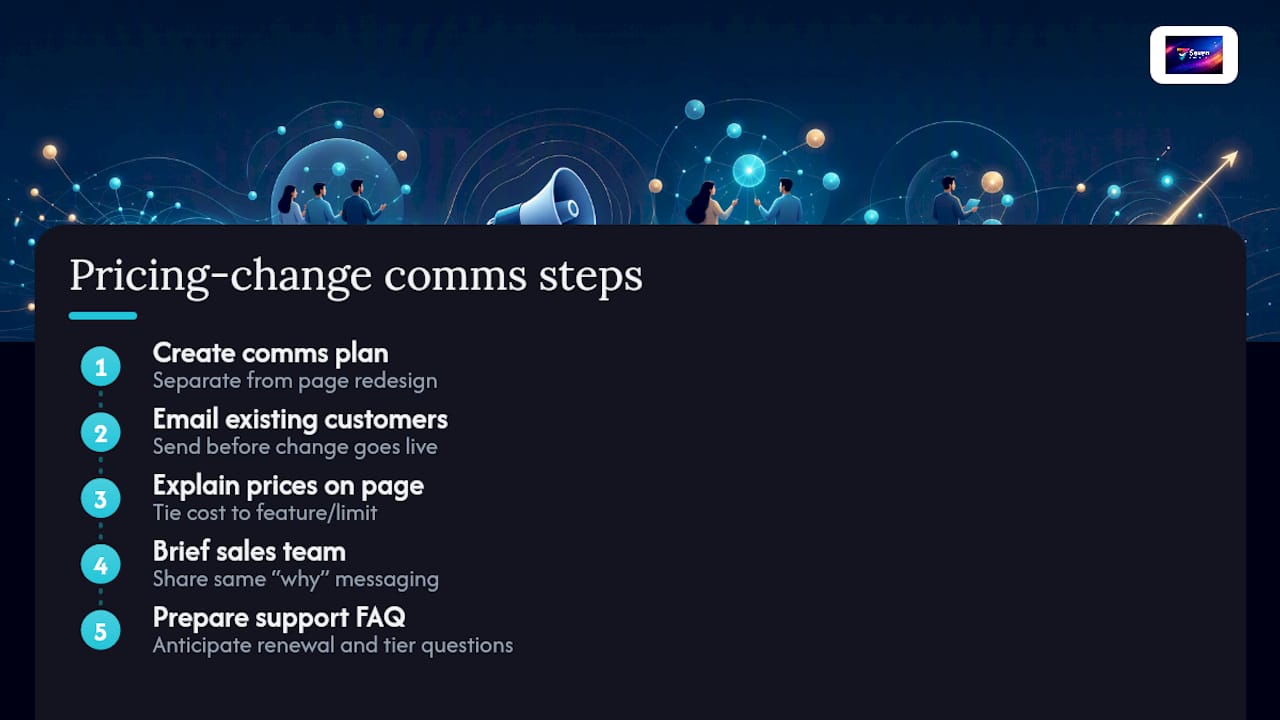
Announcing published prices, or a pricing change of any kind, needs its own communication plan, separate from the page redesign itself.
Send existing customers a direct email before the change goes live, not after. Explain what’s changing, what stays the same for them, and whether they’re grandfathered into their current rate. Silence here breeds far more distrust than the price change itself ever would.
On the pricing page, write a short line explaining why a tier costs what it costs, tied to a feature or limit, not just a number in isolation. OmniaRetail’s research on trust-building makes the point that unexplained transparency can backfire, a customer who sees a number with no context can conclude they overpaid, even when the price is fair. Context turns a bare figure into a justified one.
For sales teams, brief them before launch so they’re not caught explaining a public price they didn’t know was coming. Give them the same “why this tier costs this” language customers see, so the story stays consistent whether a buyer reads the page or talks to a rep.
For support teams, prepare a short FAQ internally covering the most likely objections: “why did my renewal go up”, “why is this feature in a higher tier now”. Reactive confusion after launch costs more goodwill than proactive clarity before it.
SaaS companies that got transparent pricing right
A handful of patterns show up repeatedly among companies that made transparency work rather than just talked about it.
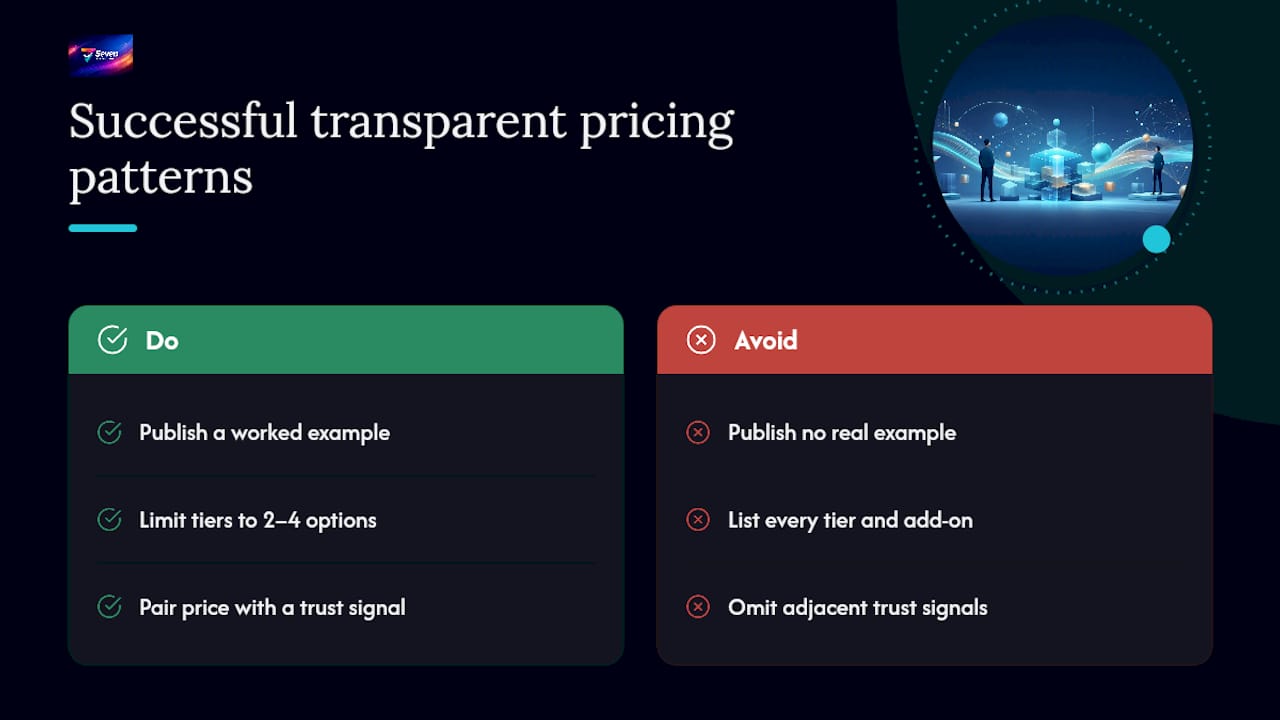
The companies that succeed tend to publish a real, worked example alongside their tier list, not just a features table. Showing “a typical 10-person team on our Growth plan pays $190/month” does more for buyer confidence than another bullet point ever could, because it answers the question the reader actually has.
The second pattern is restraint: successful transparent pricing pages resist the urge to list every possible tier and add-on. They pick two to four tiers, each solving for a distinct buyer, and push genuinely unusual requirements into a “talk to us” enterprise option rather than trying to price every edge case publicly. Trying to publish a price for every conceivable configuration is often what pushes teams back toward gating everything.
The third pattern, and the one Seven’s own approach reflects, is pairing the price with a trust signal that matters to the buyer segment. For privacy-conscious teams, that’s a clear no-data-mining stance sitting next to the dollar figure. For a metered API product, it’s a usage calculator sitting next to the per-unit rate. The price answers “how much.” The adjacent trust signal answers the follow-up question buyers don’t always say out loud.
Legal and compliance considerations you shouldn’t skip
Publishing a price isn’t just a marketing decision, it carries a few compliance obligations worth checking before launch, and they vary by market.
If you serve consumers or small businesses in jurisdictions with consumer protection law, the displayed price generally needs to reflect what a customer will actually be charged, inclusive of any fee that isn’t clearly flagged as optional. Advertising a headline price while burying a mandatory fee in the checkout flow is the kind of practice that regulators in several markets have specifically targeted.
Tax treatment adds another layer. If your pricing page shows a price exclusive of tax, say so explicitly, and be clear about which region’s tax rules apply, since a figure that’s correct for one country’s buyers can be misleading for another’s.
Cancellation and refund terms need to sit near the price, not three clicks away in a separate terms document. Several consumer protection regimes now specifically require that subscription cancellation be no harder than sign up, and burying the process only invites complaints or chargebacks later.
None of this replaces proper legal review for your specific market, but it’s worth checking your pricing page against these points before you publish, rather than after a complaint arrives.
How customer segments should shape your pricing design
A single pricing page rarely serves every buyer segment equally well, and the segments you actually have should shape which tiers you publish and how.
Solo users and freelancers respond to a low, simple entry price with monthly flexibility, they’re often paying out of pocket and want to feel in control of the commitment. A team segment cares more about per-seat predictability and admin controls than about shaving a few dollars off the monthly rate. An enterprise segment cares less about the sticker price and more about SLAs, security review and procurement terms, which is exactly why gating that segment behind a conversation makes sense even inside an otherwise transparent pricing strategy.
Mapping your tiers to these segments, rather than to internal feature buckets, is what keeps a pricing page readable. If your smallest tier is trying to serve both a solo freelancer and a five-person team, it usually satisfies neither particularly well.
A short editorial take on making the switch
Transparent pricing usually wins for product-led SaaS because it removes friction exactly where friction costs you the most, at the point someone is deciding whether to even try your product. Pilot it with one tier, brief your sales team before launch, and measure a full cycle before judging results. Treat pricing as ongoing product work, not a page you set once and forget.
— Greg
Try Seven: transparent pricing with nothing hidden behind a form
Seven prices itself the way this whole article argues you should: A$5 a month for individuals, A$9 per user for teams, a 7-day free trial, and a stated commitment to not mining or reselling your data. There’s no “contact sales” button hiding the number, because the number was never the part worth hiding.

If you’re evaluating project management tools with the same transparency test you’d apply to your own pricing page, start with Seven’s pricing and check the individual tier against your actual workflow, boards, task management, file attachments and Excel import are all included, not upsold separately. If data privacy matters to your team, the security page is worth reading alongside the price itself. Start the 7-day trial, import a spreadsheet of your current tasks, and see whether the workspace fits before you commit to anything.
Sources
- SaaS pricing and packaging strategy (Stripe)
- Publish SaaS Pricing Publicly or Gate It Behind “Contact Sales”? (PulseRevOps)
- Why SaaS Companies are Moving Away from Pricing Transparency (and Why That’s a Bad Thing) - OpenView
- Gartner press release: 67% of B2B buyers prefer a rep-free experience
- Transparent pricing | Definition, examples & advantages (Markt-Pilot)